2 August 2026
2 min read
Two ID cards per A4 sheet, straight from ERPNext
A print format that turns ERPNext employee records into finished, front-and-back staff ID cards — two to a sheet — with no external design tool in the loop.


Gershon Otinkorang
IT Infrastructure & Systems Specialist
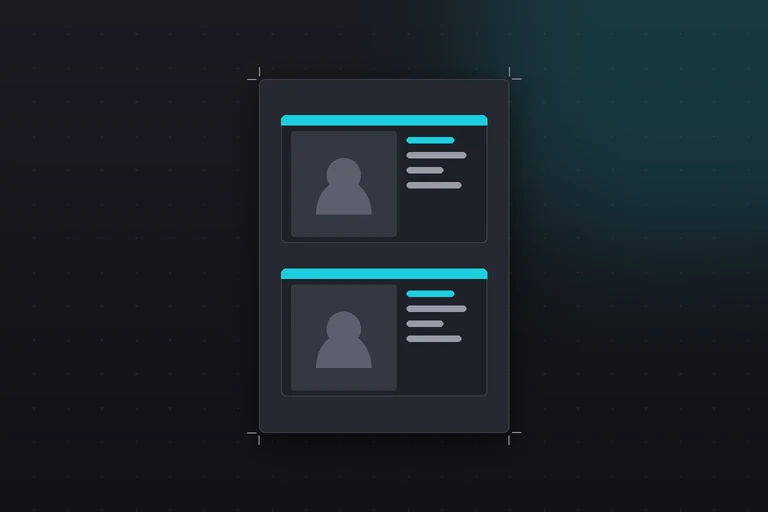
Staff needed identification cards, and the employee records already existed in ERPNext — names, photos, departments, job titles. The data was never the problem; getting it onto a physical card was. The usual routes are to commission a card design, where you pay for every change and wait on someone else, or to buy card-printing software. Both felt heavy for what is, underneath, a formatting job.
So I built it into ERPNext itself: a print format that reads an employee's record and lays out a complete ID card — front and back — ready to print, cut, and laminate. New hire, print a card. Someone changes department, print a card. No design round-trip.
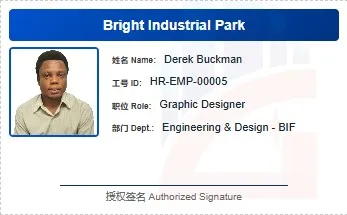

What it produces#
Each card carries what someone at a gate actually needs to check, pulled live from the employee record:
- Front: a branded company header, the employee photo, the key details — name, ID number, designation, department — an authorised-signature line, and a light watermark.
- Back: the company logo, contact details, and a QR code.
Two full cards render on a single A4 sheet, so one page produces one complete card once it is cut and laminated — which halves the paper and keeps a batch tidy.
How it's built#
The whole thing is a standard ERPNext print format: Jinja for the server-side data, HTML for the structure, CSS for the layout. Nothing exotic — the craft is all in making a browser-driven PDF engine produce a card rather than a page.
That meant working in centimetres, not pixels, so the dimensions survive the trip to a physical sheet; declaring the page as A4 with zero margin; and looping the card markup so the pair is never split across pages. It is modular enough that rebranding — a new logo, different colours — is a small edit rather than a rebuild.
A couple of things that look trivial and are not: employee photos that render fine in the preview but arrive blank in the PDF (the fix is passing the image through Frappe's abs_url so the path is absolute), and getting the layout to read identically across ERPNext's print preview and its PDF engine.
Why it's useful#
HR can now generate professional, consistent ID cards on demand, straight from the system that already holds the data — no external design tools, no third-party software, no waiting. The output adapts to PVC card printers, ordinary laser printers, and plain PDF export, so it fits whatever the office actually has.
The template, styles, and setup instructions are on GitHub.
For the harder part of the story — why every label had to appear in two languages, and the print-engineering problems that shaped the whole layout — I wrote it up as a case study: ID cards two languages had to agree on.
Read next
17 October 2026 · 1 min
From IT generalist in Ghana to specialist roles in Canada
I used to be the network admin, the help desk, the web developer, and the server guy, all in one role. That’s normal where I’m from. In Ghana, many IT…
17 October 2026 · 1 min
Learning Newfoundland weather, coming from Ghana
One thing I’m definitely still adjusting to in Newfoundland is the weather. Coming from Ghana, where the climate is generally warm and predictable…
1 August 2026 · 2 min
Your network is slow, and it's probably not the fibre
A short field note on why latency complaints in a large network almost never point at the fibre — and the order I actually check things in.